Replication Team: wireless color sensor

Hi again from replication team, I have done Mothbox DIY see it if you haven’t see it, check out this link:

I am testing things now, and I will give an update on that as soon as possible. So far, I have not caught any photos of insects, since Seattle has been cold and windy. When it is sunny and warm, the only bugs I see around are spiders, :slight_smile:

Anyhow, let’s start with this project. You can see it here:

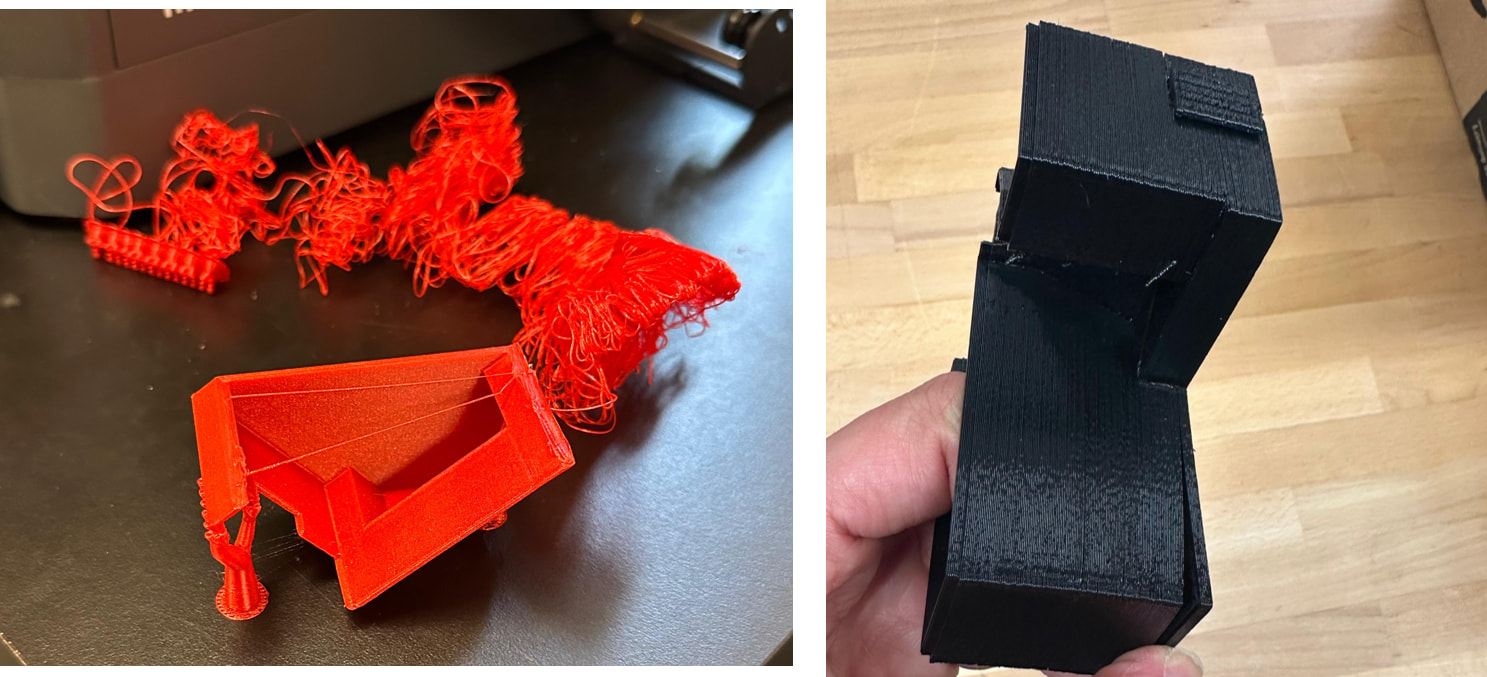
I have been having a lot of issues with 3D printing. Some of them seem related to print setting adjustments, but there also seem to be some bigger issues happening sometimes.

I have included some photos here for your reference.
Anyhow, if you look at the link, you can see there are several parts to print. I checked the links, and that is where I found the first issue in this documentation.

As you can see, each part has a picture next to it, which I really liked. However, there is an issue here:
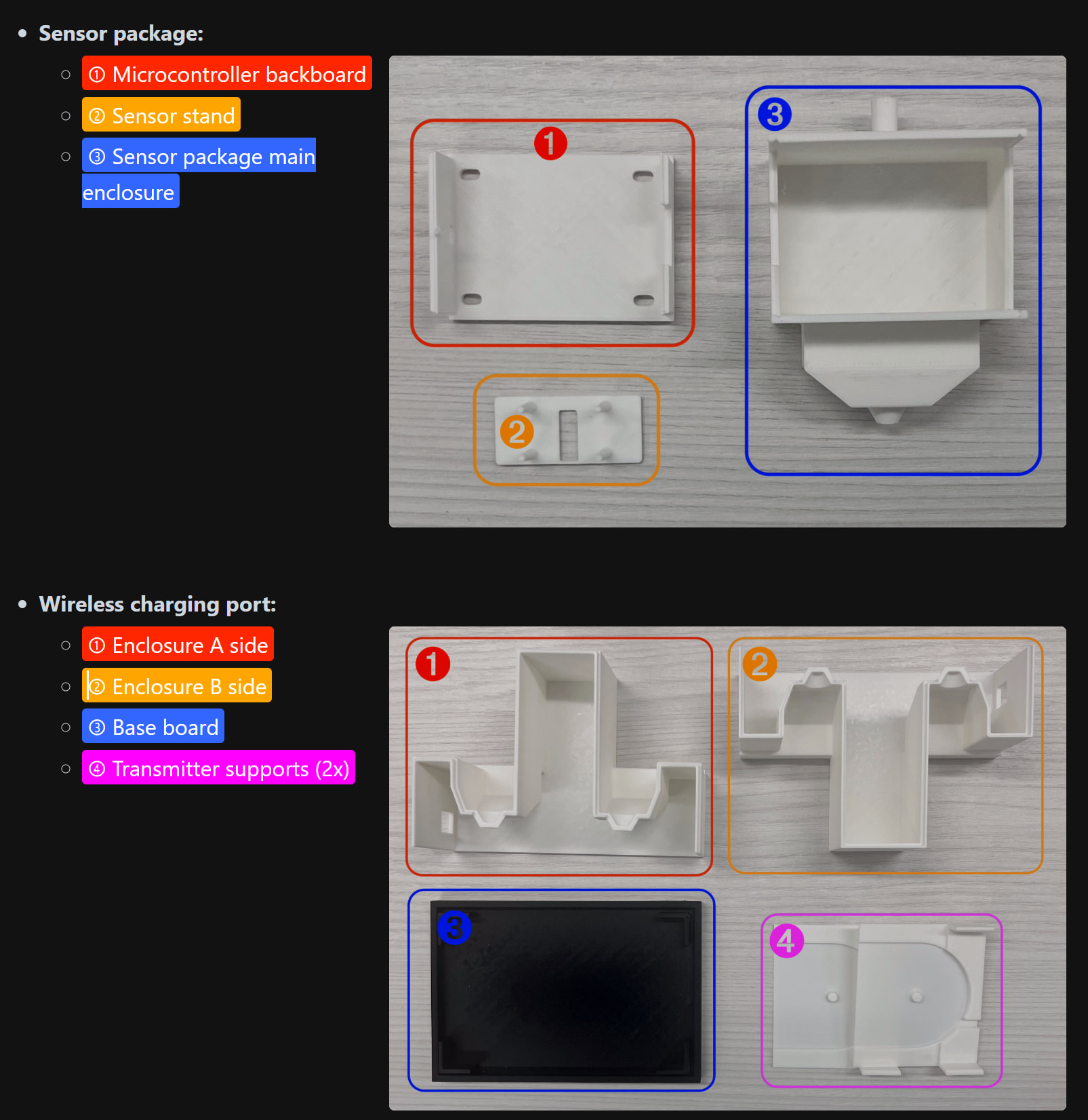
In the list of files to print, the first one is named “charging base.” When you download it and open it in the slicing software for the printer, you see the following geometry:
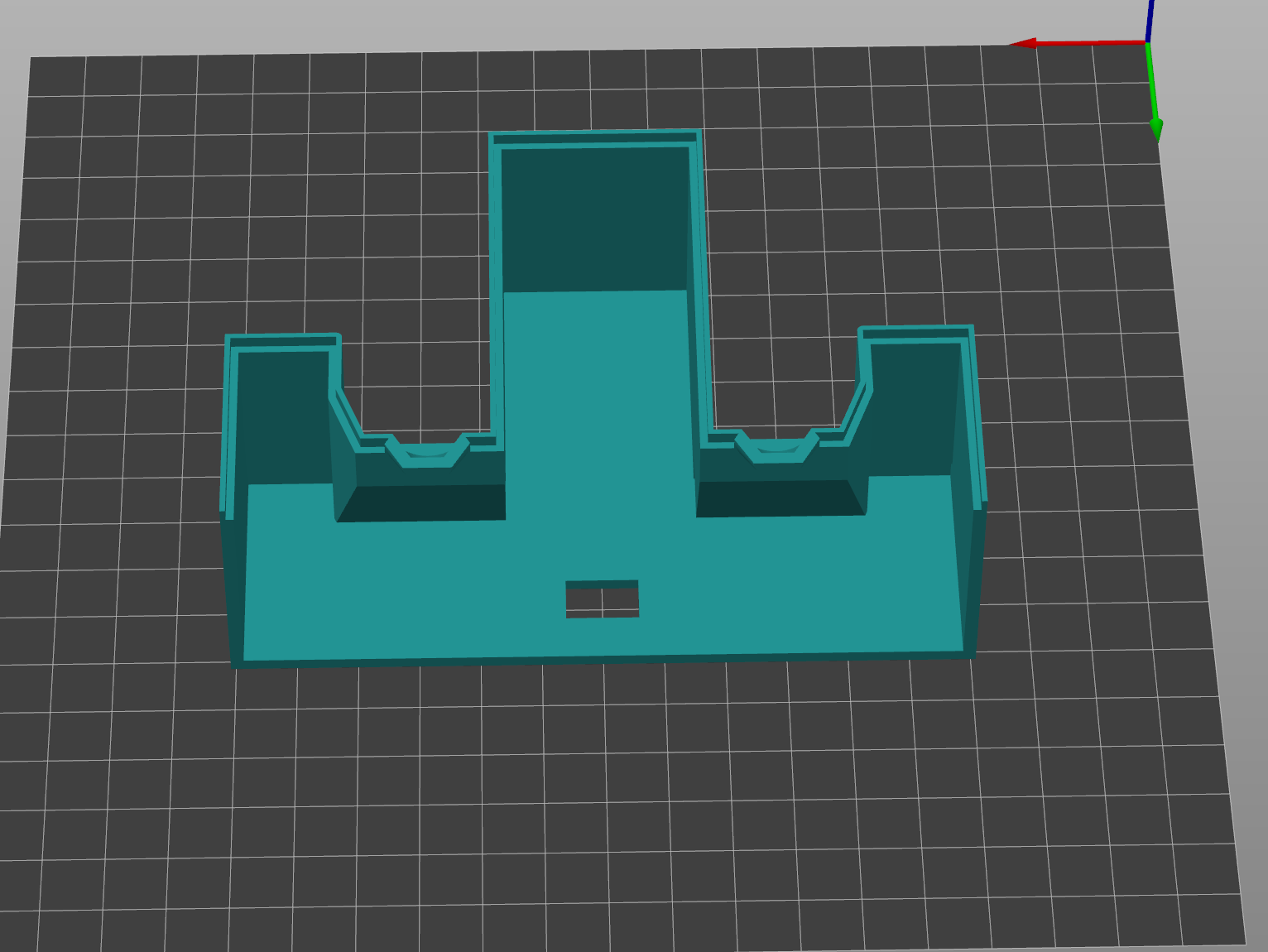
This seems to be the enclosure side, not the “charging base.”

Then there is a part named “base board,” but I do not see any 3D printing file for the base board here. It is supposed to look like what you see below:
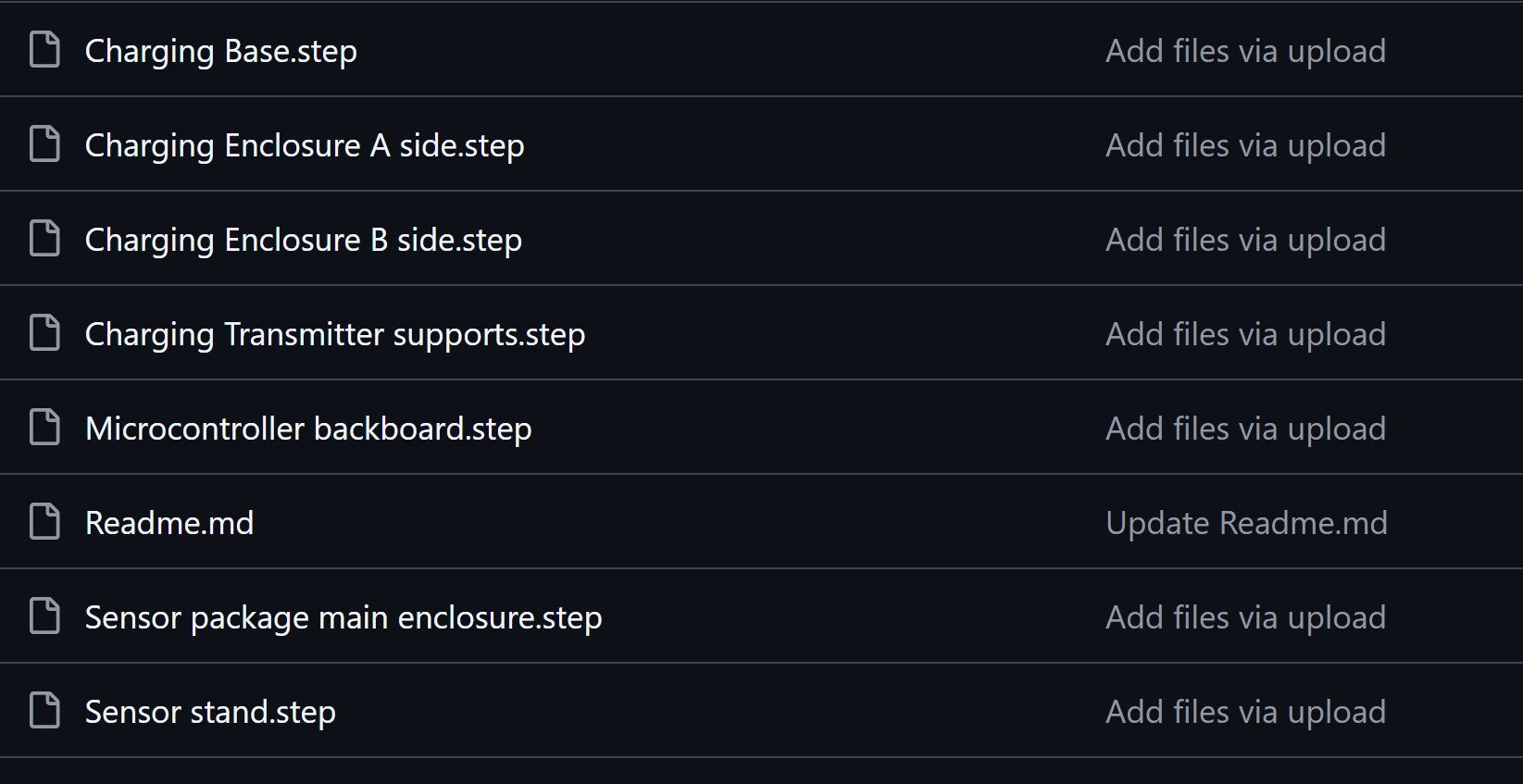
I managed to print most of the parts after spending a lot of time, I am still missing couple parts:
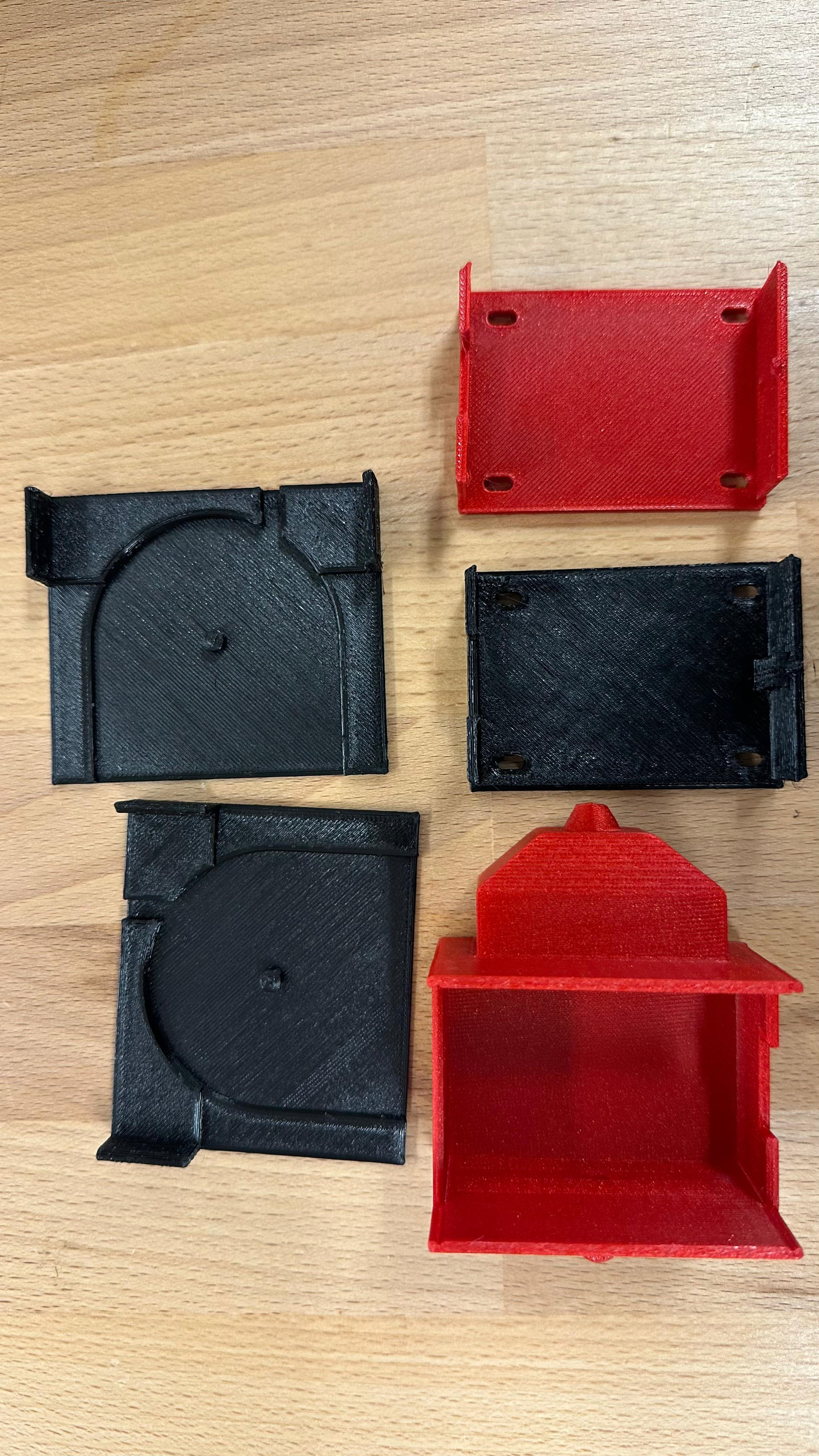
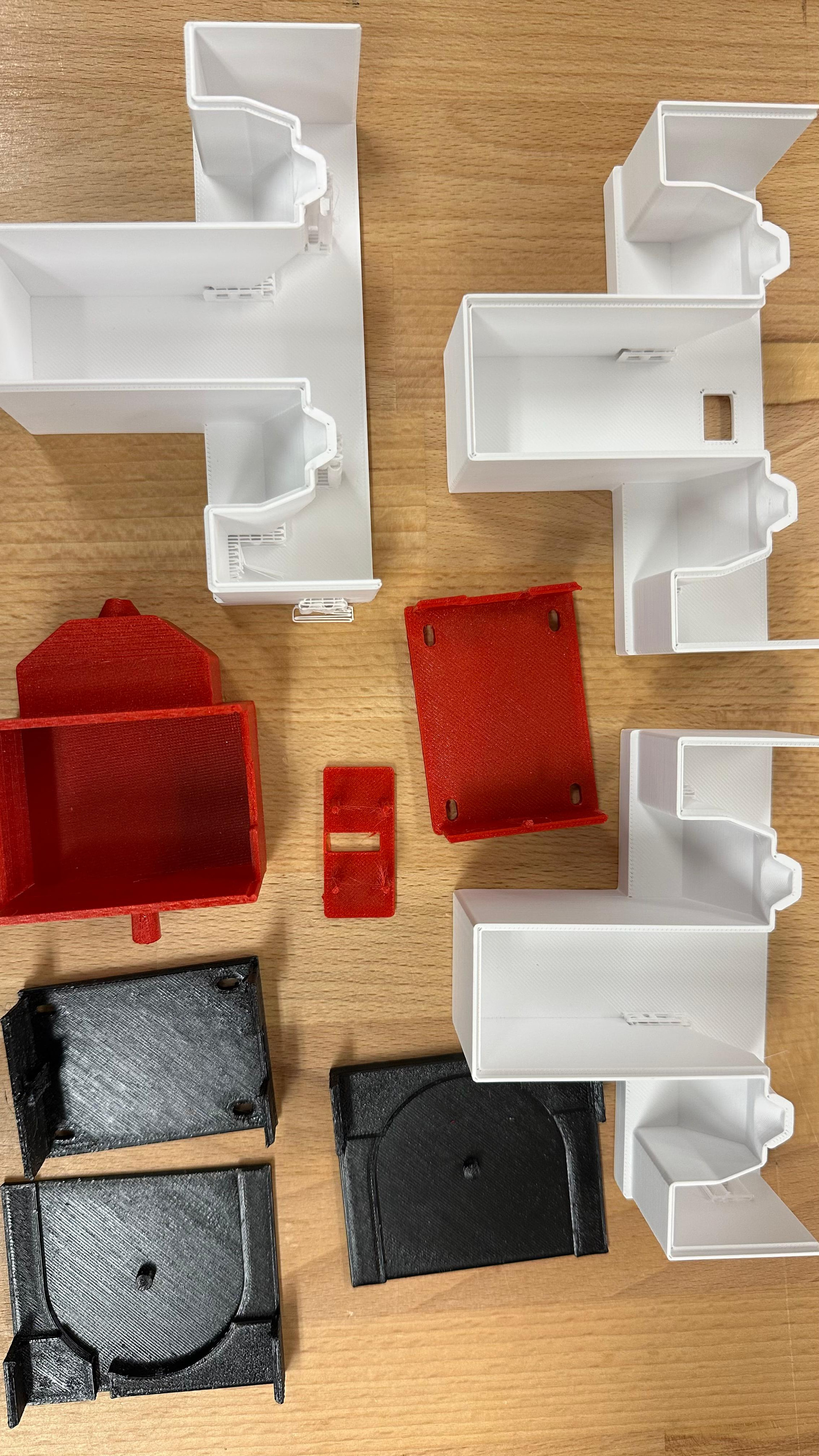
1 Like

This project has taken a lot of trial and error so far. There were many small hiccups along the way, especially with getting the physical parts ready. After several attempts, the 3D-printed parts finally came out correctly, and now we have all the printed parts we need to move forward.

At this point, the main delay is the electronics and ordered parts. I placed the order about three weeks ago. I have received most of the parts, but I am still waiting for one important item:

Pimoroni PIM557 - LiPo SHIM for Pico, DigiKey

This part is listed as PIM557 by Pimoroni. On DigiKey, it is described as a LiPo SHIM for Pico. It is a battery / power management board for the Raspberry Pi Pico. This should help with powering the wireless sensor setup from a LiPo battery.

Right now, this is the only part I am still waiting on. The rest of the parts have mostly arrived, and the 3D-printed parts are ready. Once this last board arrives, I should be able to move on to assembly, wiring, and testing.

This project has already taken more time than expected, mostly because of part ordering, shipping delays, and small design issues with the printed parts. But now it feels like the project is finally ready to move into the next stage.

I will post more updates once the missing part arrives and I start putting the full wireless color sensor together.

I also originally ordered my LiPo SHIM from digikey but since they say they are out of stock I ended up canceling my order and found one in stock on Mouser Electronics. I received it in about 7 days.

1 Like

Thanks, I guess I will do that.

1 Like

Which printer and what settings have you been using?

It was the Elegoo filament. At first, the print quality was pretty poor because I was using a non-Elegoo filament and had configured the printer with settings for that filament. I don’t remember the exact settings off the top of my head, but we ended up spending quite a bit of time adjusting things.

The auto-leveling didn’t do a great job, so we manually worked on leveling the bed. Once we switched to the Elegoo filament and dialed in the settings, the print quality improved significantly. It took a while to get everything printing well again.

I know Chris also spent some time tweaking and fixing it, although I’m not exactly sure what changes he made.

1 Like